What’s new?
The Add Notes workflow action now supports the latest contact note enhancements: note title and note color.
How it works
For contact notes, workflows can now create richer notes with an optional title and selected note color. Existing workflows continue to work because the new fields are optional.
How to use it
Open a workflow and add or edit the Add to Notes action.
Add a note title and note color as needed.
Save and publish the workflow.
Why we built it
This keeps workflow-created notes consistent with the updated Contacts notes experience, so teams can add more context and organize notes visually.
Additional Notes
This update does not affect any of your existing notes.
Note title and color are optional.
Preview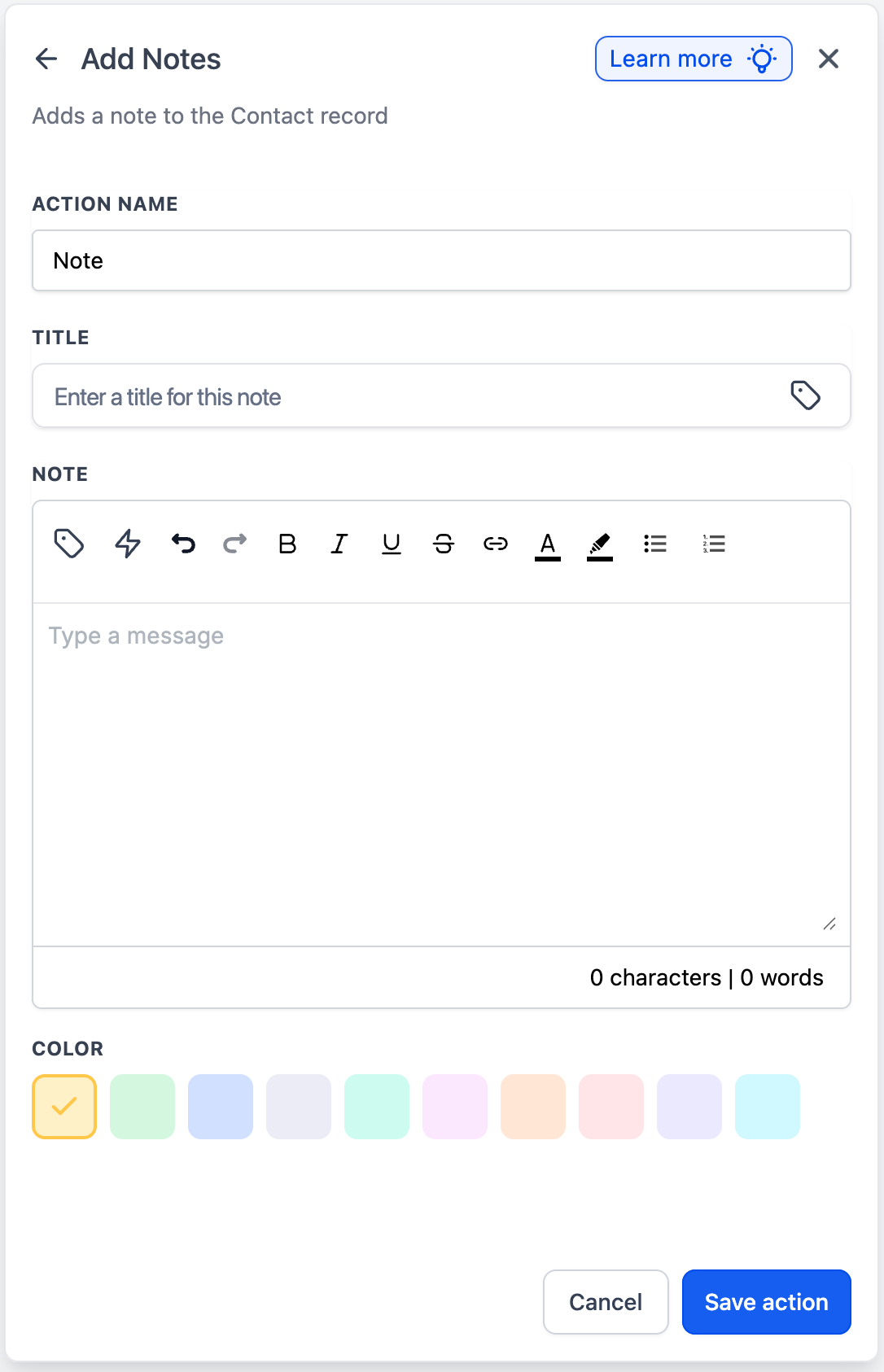
Was this article helpful?
That’s Great!
Thank you for your feedback
Sorry! We couldn't be helpful
Thank you for your feedback
Feedback sent
We appreciate your effort and will try to fix the article