You can now use marketing audit report url as custom values in workflows to personalize outreach automatically.
What’s new
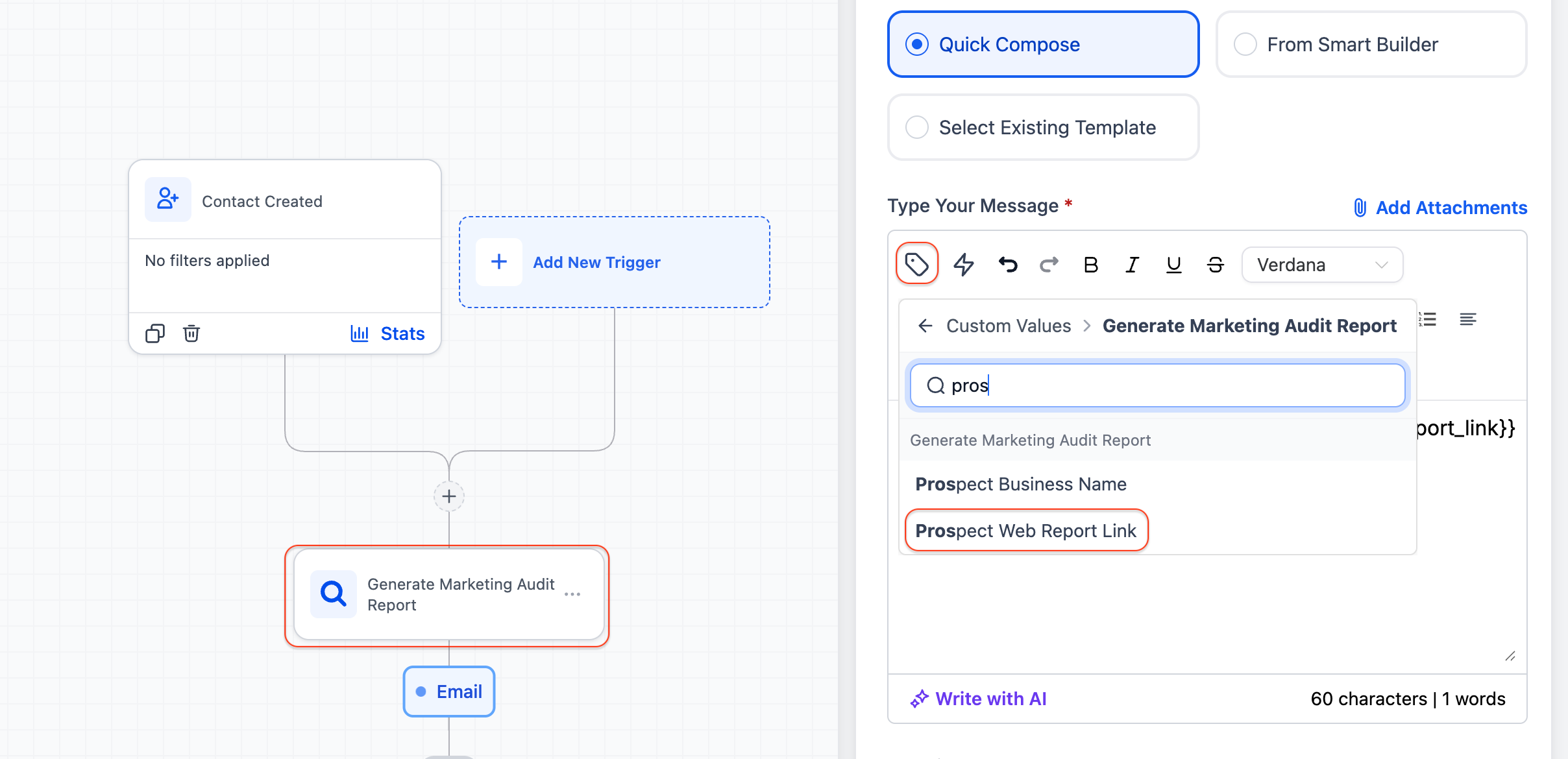
Added custom values for: Prospect web report link and Prospect business name.
Available when using the Generate marketing audit report action in workflows.
These values can be used in downstream actions like email and SMS.
Why this matters
Previously, you could generate audit reports for prospects, but you couldn’t easily include those insights in your outreach.
Now, you can:
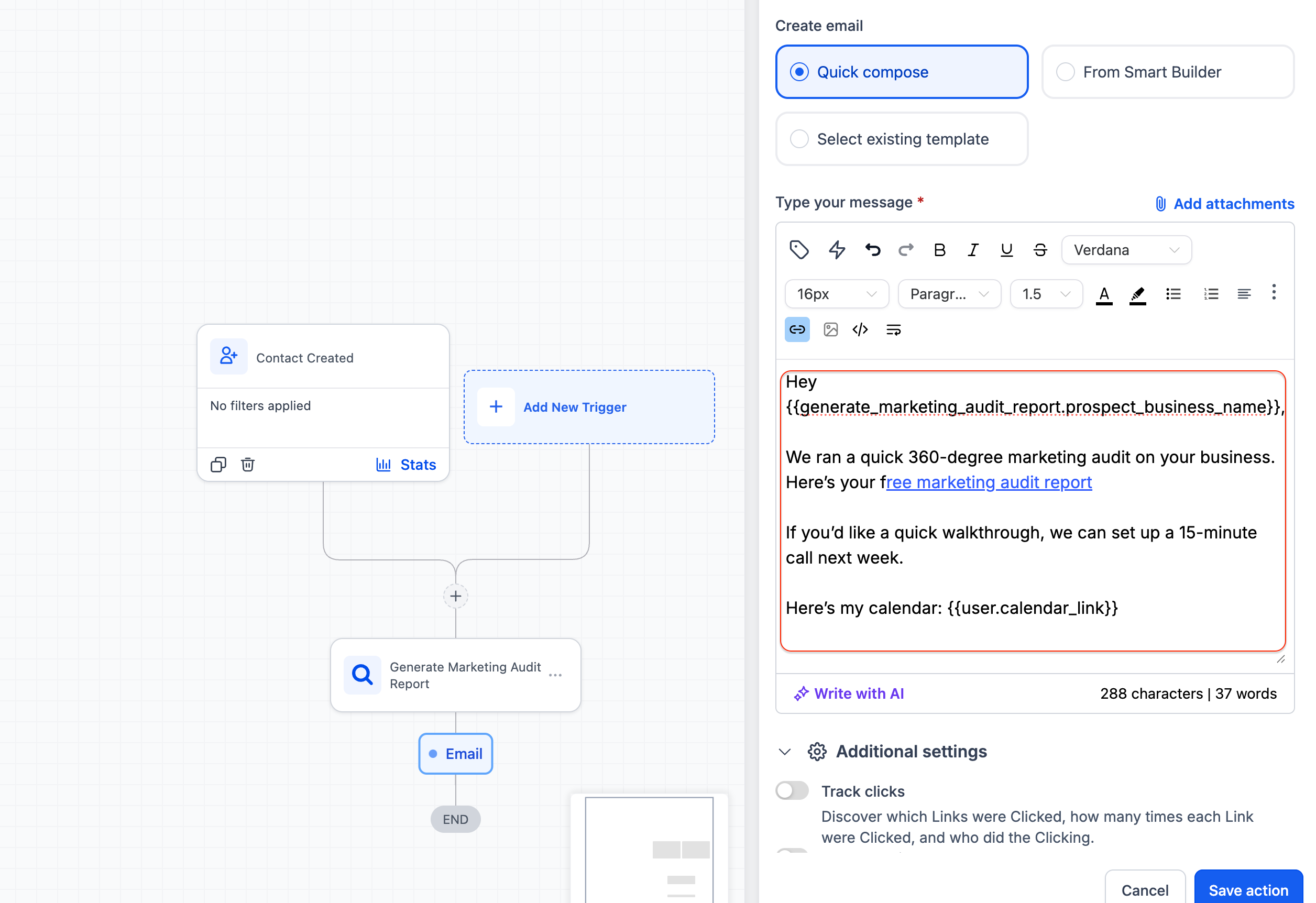
Automatically include the audit report link in messages
Personalize outreach using the prospect’s business name
Build end-to-end flows from lead capture → audit → outreach
How to use
Add the Generate marketing audit report action in your workflow
In a downstream step (email or SMS), insert: Prospect web report link, Prospect business name
Send personalized audit insights automatically
Expected impact
Faster and more personalized outreach
Improved lead qualification using audit insights
Better conversion from prospect to conversation
Was this article helpful?
That’s Great!
Thank you for your feedback
Sorry! We couldn't be helpful
Thank you for your feedback
Feedback sent
We appreciate your effort and will try to fix the article