What's New?
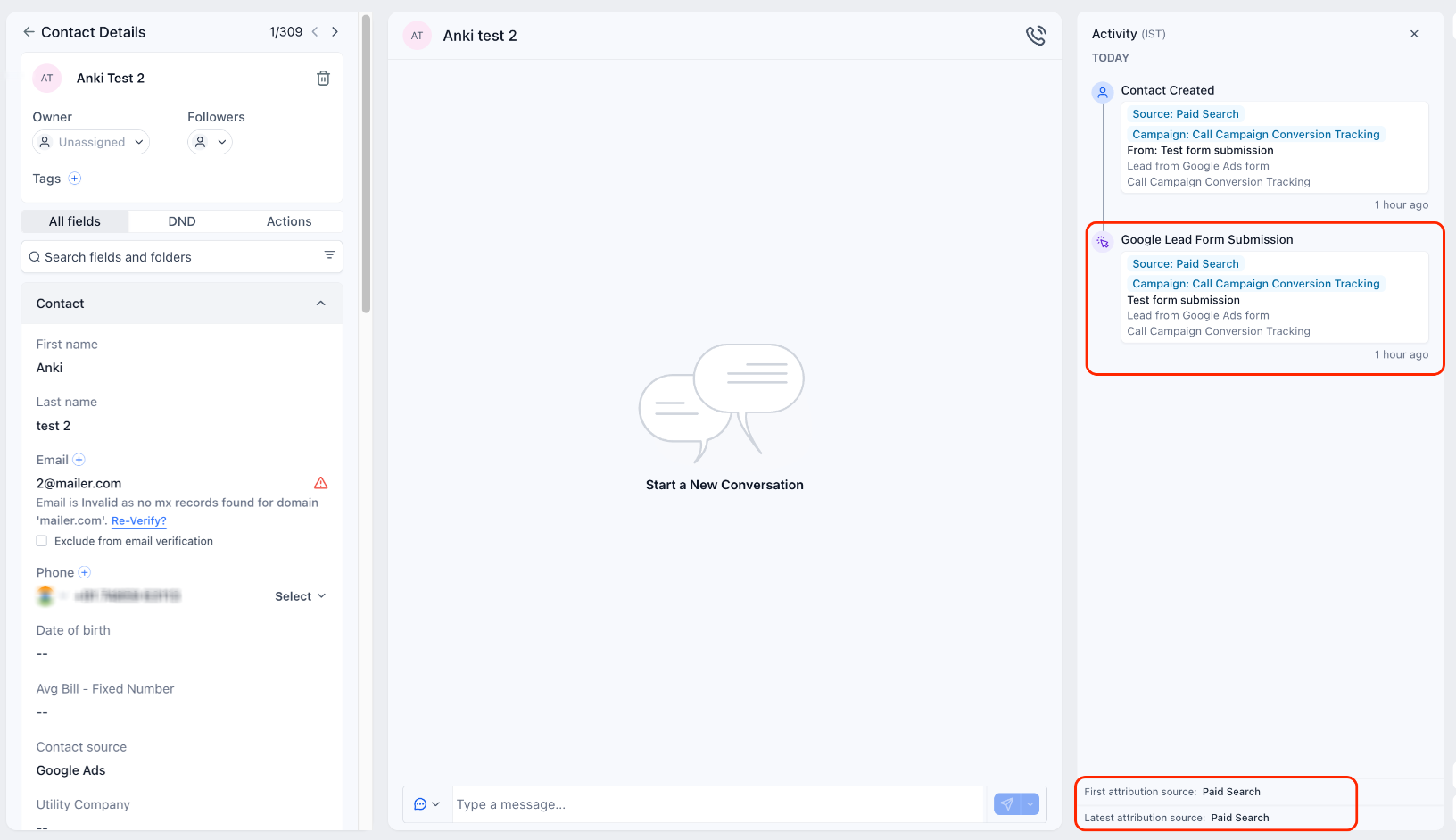
- Google Lead Form submissions now record the correct Session Source as Paid Search (previously stored as "Paid Social").
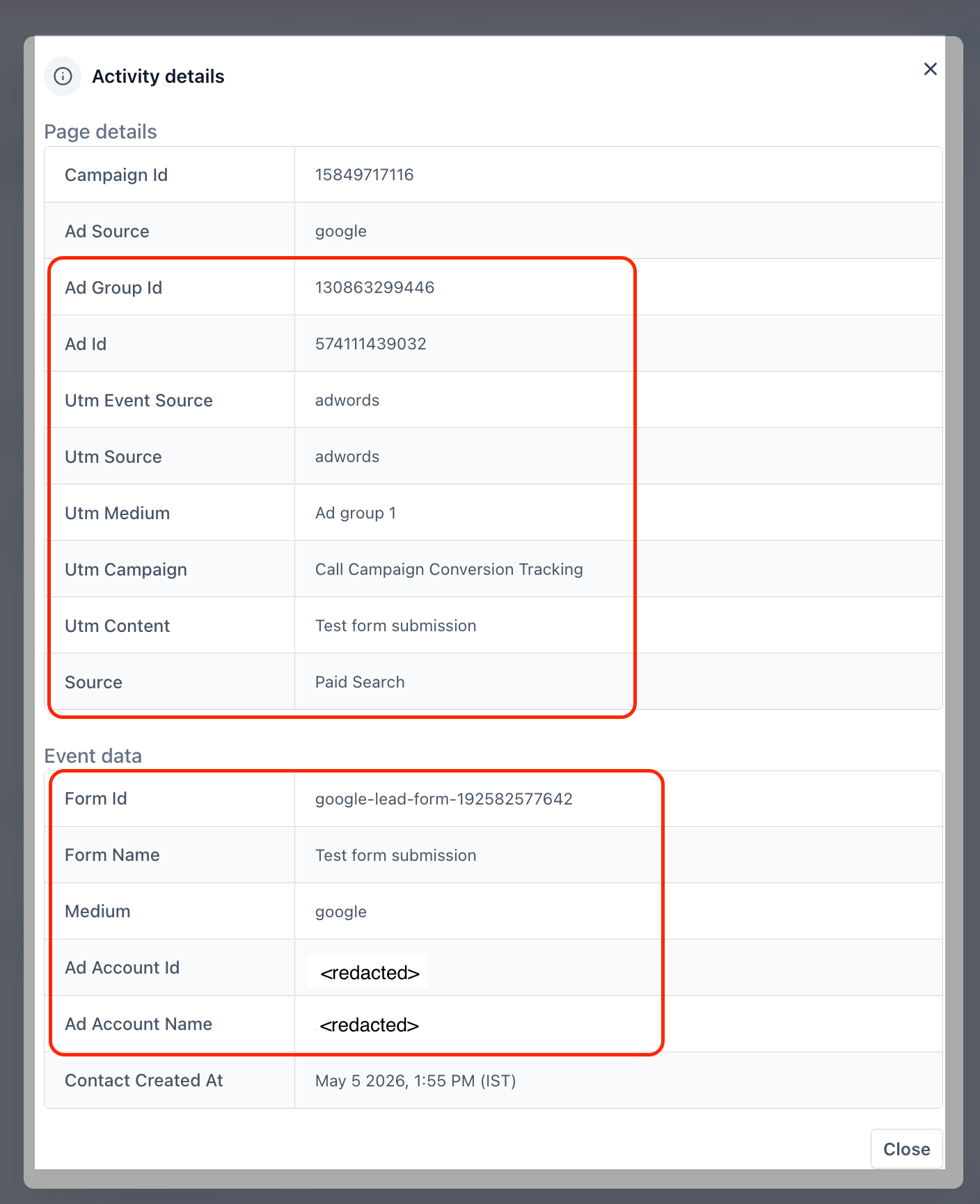
- Session Source includes the full Campaign, Ad Group, and Ad details.
- A new contact activity — "Google Lead Form Submission" — has been introduced for this submission type.
- The activity snippet captures Campaign, Ad Group, Ad, and Form name so you can see exactly which ad and form drove the lead.
How It Works:
- Run a Google Ads campaign that uses Lead Forms and connect it to the platform as you do today.
- When a prospect submits the Google Lead Form, the contact is created or updated inside your account automatically.
- Open the contact and check the Activity panel: Session Source should be "Paid Search". Campaign / Ad Group / Ad should have been populated from the originating Google Ads entity.
- In the contact's Activity timeline, you'll see the new "Google Lead Form Submission" entry containing Campaign, Ad Group, Ad, and Form name.
Why It Matters:
- Accurate paid-channel reporting — Google Lead Form leads are no longer miscategorised as Paid Social, so dashboards, and source breakdowns finally reflect reality.
- Full campaign visibility — Marketers can see the exact campaign, ad group, ad, and form behind every lead.
- Cleaner activity timelines — A dedicated activity type makes it easy to filter, segment, and automate workflows for Google Lead Form leads.
- Better automation triggers — Workflows can branch on the new activity type to deliver a tailored follow-up.
Notes:
- The fix applies to new submissions going forward. Historical contacts retain their original attribution.
- No setup changes required — the corrected attribution and new activity apply automatically.
- Available wherever Google Ads' Lead Form integrations are supported.
Was this article helpful?
That’s Great!
Thank you for your feedback
Sorry! We couldn't be helpful
Thank you for your feedback
Feedback sent
We appreciate your effort and will try to fix the article